Table of Contents
Printable Christmas Movie Emoji Game – Turns holiday movie night into an easy guessing game for kids, teens, and adults. Each picture clue points to a familiar Christmas movie or TV special. This set includes three eight-clue rounds and a separate host answer key, so you can choose a quick family activity or run all 24 clues at a party. Download the original WebP files below, print the pages you need, and keep the key with the host until everyone is finished.
Printable Christmas Movie Emoji Game Sheets
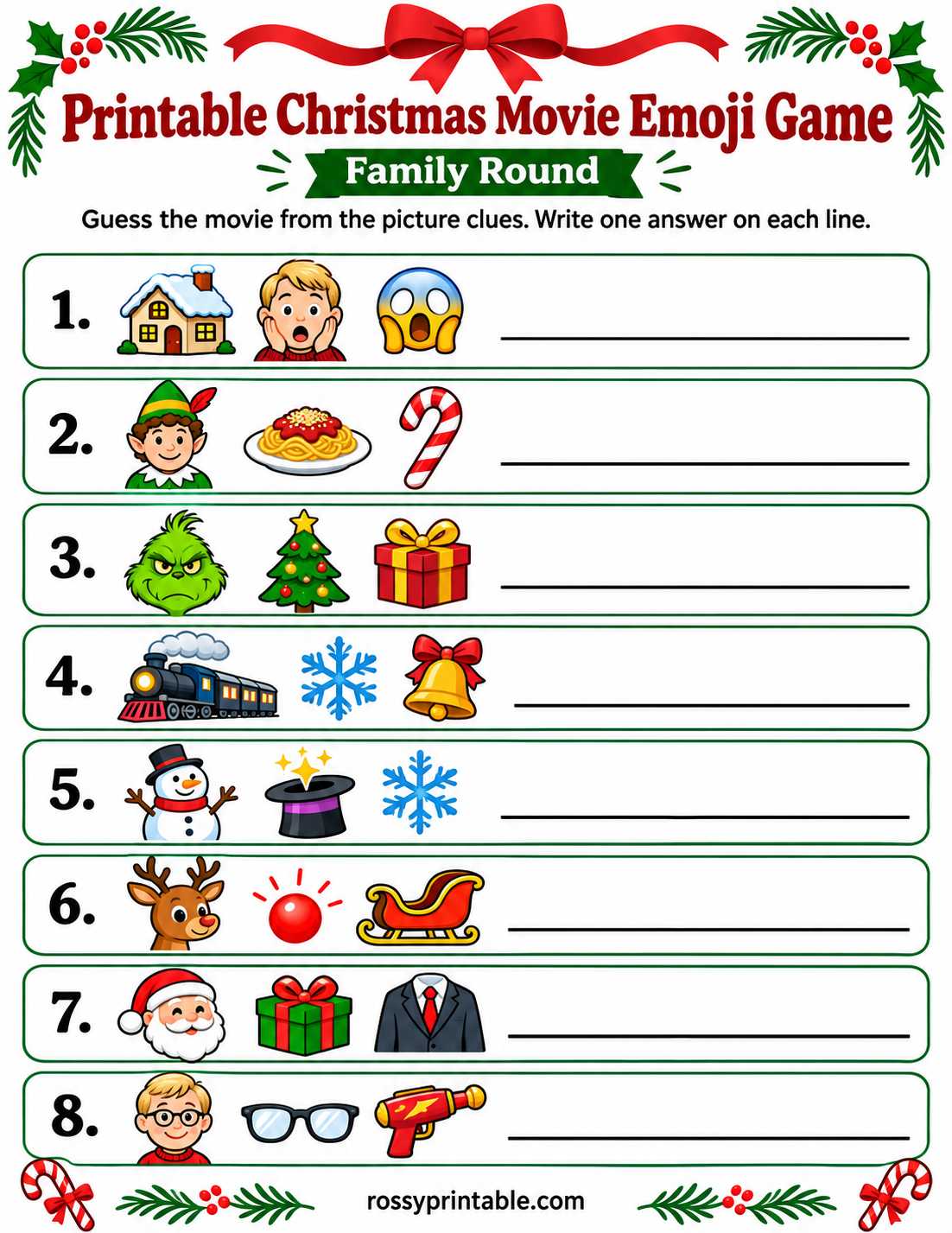
Choose the Right Round for Your Guests
The Family Round is the easiest place to start. Its large, colorful clues show recognizable elements such as a boy by a house, an elf with spaghetti, a snowman, and a red-nosed reindeer. There are eight numbered rows, each with a long blank line for an answer. Use it with a mixed-age family group or as a warm-up while guests arrive. Younger players can pair up with an adult to read or write the titles.
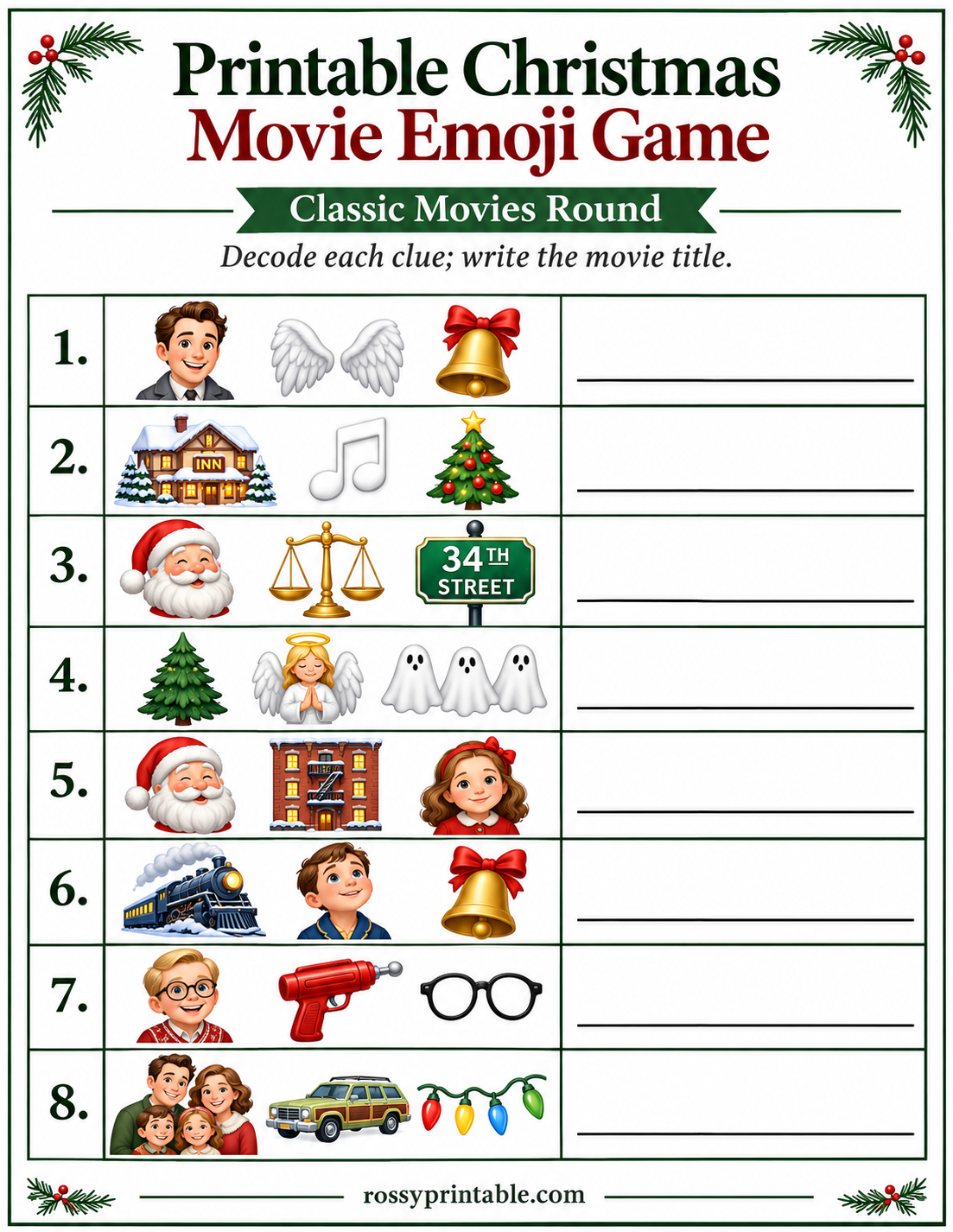
The Classic Movies Round uses a more orderly grid with holiday films and familiar older favorites. An angel and bell, a Santa with a street sign, and a family car with Christmas lights are among its visual clues. The rows leave plenty of space to write, and the restrained evergreen border looks neat on a party table. This sheet works especially well for adults, grandparents, or teams with different generations of movie fans.
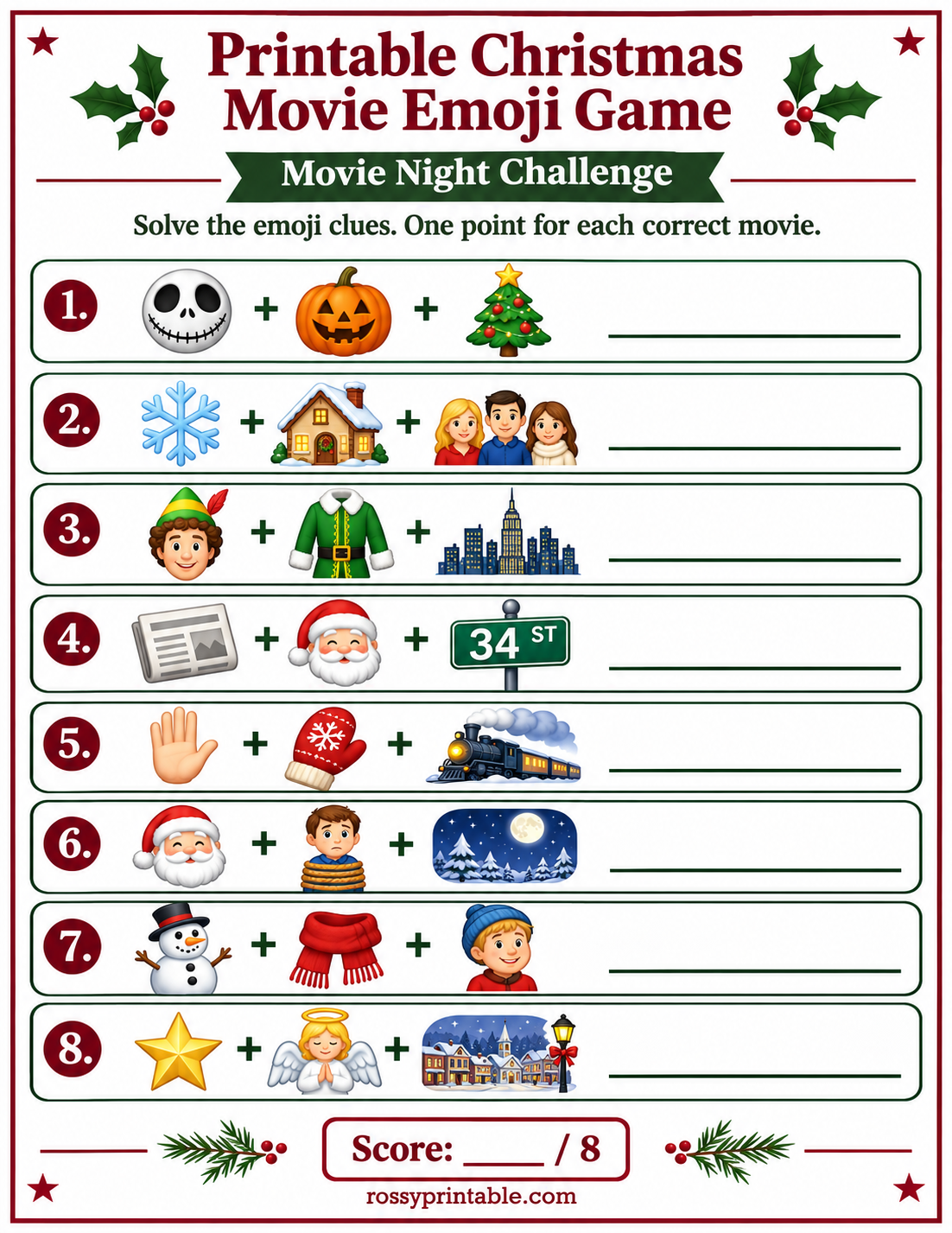
Movie Night Challenge presents its eight clues as picture equations with plus signs. The mix includes a pumpkin and Christmas tree, a snowy house, and a newspaper with a Santa and street sign. A score box at the bottom makes it easy to mark this round on its own. Pass it out after the first two rounds if your group wants a closer finish, or use it as a standalone activity before starting a movie.
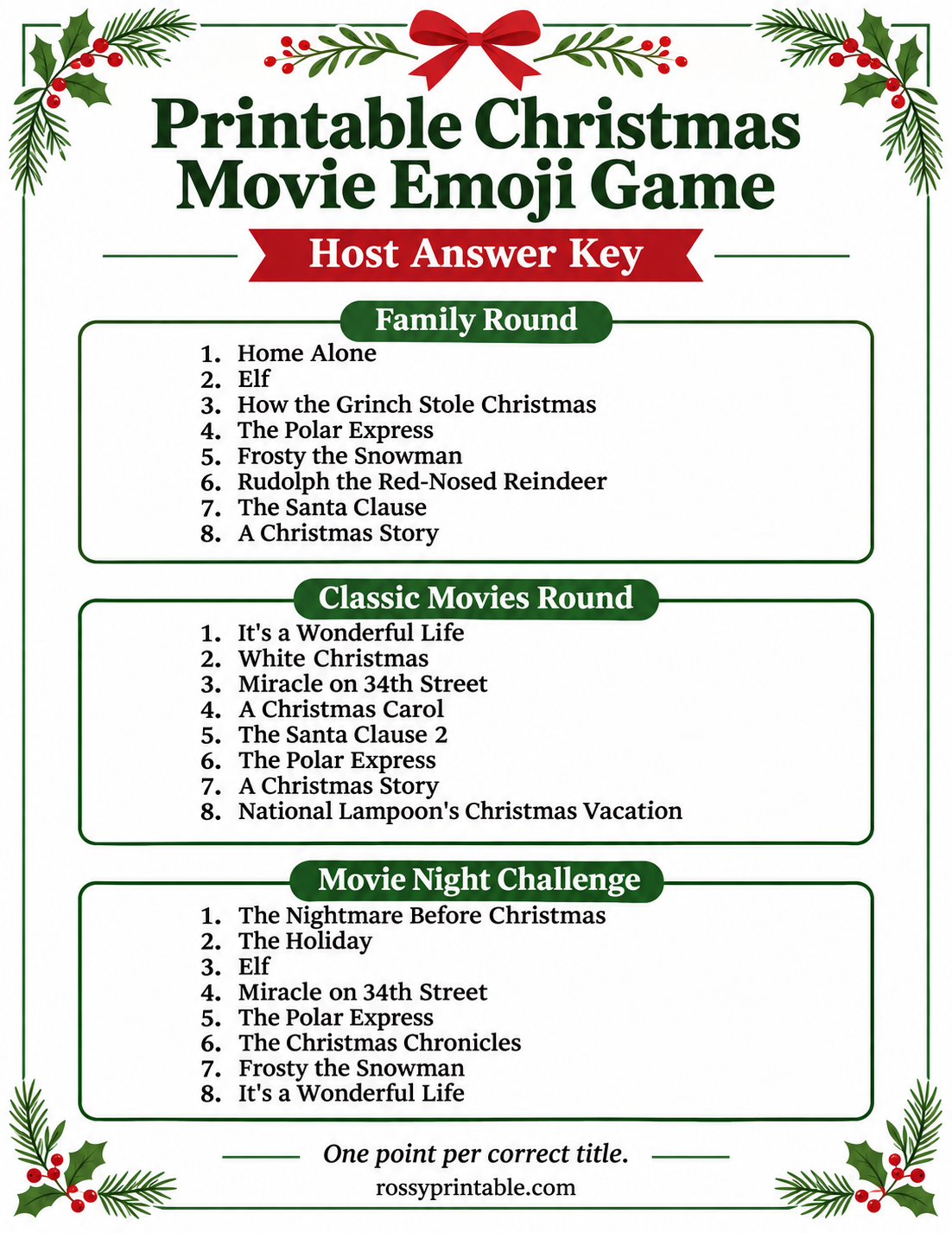
The fourth page is the Host Answer Key. It puts the answers for all three rounds in separate, numbered sections that correspond to the player sheets. Print just one copy for the host and keep it face down during play. Some clues refer to animated holiday TV specials as well as feature films, so tell guests at the start that both count in this Christmas movie game.
How to Print the Christmas Movie Emoji Game
Open a download link beneath the sheet you want and save the full-size WebP image. Print from the saved image at US Letter size, 8.5 by 11 inches, in portrait orientation. Select “fit to printable area” if your printer tends to clip page edges; the designs have clean margins, but printer hardware still varies. A quick test page will show whether your printer preserves the colored clue icons and leaves enough room to write.
Use ordinary letter paper for a one-time party. If you want reusable sheets for a classroom, library event, or family movie marathon, print on heavier paper and put each sheet in a clear sleeve. Players can write on the sleeve with a dry-erase marker, then wipe it clean between groups. The full-size file is the best choice for printing; the smaller images in the web gallery are meant to help the page load neatly on phones and desktops.
Color makes the clues quickest to recognize, especially the green character and red-nosed reindeer. If you must print in grayscale, check a sample first and read a color hint aloud when needed. Print one player sheet for each person or team and one answer key for the person scoring. You do not need to print every round: choosing one eight-clue page keeps the activity short and saves paper.
Simple Rules for a Christmas Party
Give guests pens and choose either individual play or teams. Ask everyone to look at the pictures in each numbered row and write the title they think the clue represents. Set a five-to-eight-minute timer for one sheet, or allow more time when children are playing. Keep the key out of sight. When time is up, read the answers in order while guests swap sheets or check their own.
A correct title earns one point. Decide before starting whether you will accept short titles: “The Grinch” for “How the Grinch Stole Christmas” and “Christmas Vacation” for the longer film title are sensible examples. Ignore minor spelling errors when the intended movie is clear. For an adaptation with multiple screen versions, accept the shared story title unless you have told players to name a particular version. The highest score wins; for a tie, ask each tied team to invent a new emoji clue and let the room guess it.
For a lively group, show a single row at a time instead of giving out the whole page. Cover the rest of the sheet, reveal the first picture, and then uncover the next pictures until someone guesses correctly. Give three points for guessing after the first picture, two after the second, or one after the complete clue. This variation works well when everyone gathers around the table and you want conversation rather than quiet writing.
Ways to Use the Sheets Beyond Movie Night
At a holiday open house, leave the Family Round and a cup of pencils by the snacks. People can solve clues as they mingle, and you can announce the answers later. For a school or youth group, set up pairs so one player describes the pictures while the other writes. Give younger children a short list of possible titles on a separate piece of paper if they know the stories but need help spelling.
At an office party, let teams choose a round and keep scores on a whiteboard. Play the Classic Movies Round first to get several generations talking, then bring out the challenge sheet for a final. You can also let the winner choose the movie you watch that evening. If a title is unfamiliar to part of the group, use the answer reveal as a chance to ask who has seen it, without making anyone’s lack of movie knowledge the joke.
Want another ready-to-print format for a different group? This Christmas movie emoji PDF with an answer page is a separate set of clues. Our four downloads above are the matching player rounds and host key described in this article; use their own answer key when scoring them.
Frequently Asked Questions
Do I need to download all four pages?
No. Pick one of the three player rounds for a quick game and download the Host Answer Key for scoring. If you want a longer activity, use the rounds in order and total the scores out of 24. Keep the key separate from the player sheets until the answers are announced.
Can children play if they have not seen every movie?
Yes. Start with the Family Round, form mixed-age teams, and allow guesses from the pictures even if nobody remembers the exact title. Offering a short list of possible movie names can turn the game into a matching activity for younger children.
What should I do if the download opens in a browser tab?
Use the browser’s save-image command to store the original WebP, then open it in an image viewer or print dialog. Check that the page is set to portrait US Letter and that scaling does not crop the border or answer lines. Save the answer key separately so guests do not discover it while looking for their game sheet.